
Calendar planning trends 2026: smart strategies ahead

Many people believe calendar planning is a solved problem, assuming that basic digital apps or traditional paper planners suffice for modern life. Yet in 2026, calendar planning has evolved into a sophisticated ecosystem blending artificial intelligence, collaborative features, and sustainability. This shift addresses real challenges faced by event coordinators, educators, and families who need more than simple date tracking. Understanding these emerging trends unlocks powerful organizational capabilities that transform how you manage time, coordinate with others, and plan for the year ahead. The strategies outlined here reveal practical ways to leverage 2026’s calendar innovations for maximum efficiency and personalization.
Table of Contents
- Understanding The Digital Shift In Calendar Planning
- AI And Automation: Boosting Planning Efficiency In 2026
- Collaborative And Multi-User Calendar Trends For Professionals And Families
- Personalization And Eco-Friendly Trends Shaping Calendars In 2026
- Explore Tailored Calendar Solutions For 2026 Organization
- Frequently Asked Questions About Calendar Planning Trends 2026
Key takeaways
| Point | Details |
|---|---|
| Digital dominance | Cloud-based and hybrid calendars offer real-time syncing and mobility for seamless planning across devices. |
| AI integration | Automated scheduling and smart reminders reduce manual workload while optimizing time management. |
| Collaboration focus | Multi-user calendars enable transparent coordination for families, teams, and event organizers. |
| Personalization matters | Customizable layouts and eco-friendly materials align calendars with individual values and needs. |
| Sustainability trend | Environmentally conscious production methods and digital alternatives minimize ecological impact. |
Understanding the digital shift in calendar planning
The transition to digital calendar solutions has fundamentally changed how people organize their lives in 2026. Cloud-based platforms now dominate the landscape because they solve the critical problem of accessibility. You can update an appointment on your phone during a commute, and that change instantly appears on your laptop at home and your tablet at work. This real-time synchronization eliminates the frustration of outdated information scattered across multiple devices.
Hybrid approaches have also gained traction, combining the tactile satisfaction of paper with digital convenience. Some professionals maintain a printed monthly overview for quick reference while relying on digital tools for detailed scheduling and reminders. This flexibility acknowledges that different contexts demand different formats. A teacher might prefer a wall calendar for classroom visibility but use a smartphone app for personal appointments.
Major digital calendar platforms now offer specialized features beyond basic date entry. Google Calendar excels at integration with email and video conferencing. Microsoft Outlook serves corporate environments with robust meeting scheduling. Apple Calendar provides seamless ecosystem integration for iOS users. Notion and similar productivity tools embed calendars within broader project management frameworks. Each platform targets specific user needs, from simple personal tracking to complex organizational workflows.
Cloud storage optimization plays a crucial role in this digital transformation. Your calendar data backs up automatically, protecting against device loss or failure. Sharing permissions let you grant viewing or editing access to specific people for particular events. Color coding and category tags help you distinguish work commitments from family activities at a glance. These features create a planning system far more powerful than traditional paper methods.
Pro Tip: Start your digital transition by syncing just one calendar type, such as work meetings, before adding personal events. This gradual approach prevents overwhelm and helps you master features systematically. Once comfortable, expand to include birthdays, recurring tasks, and collaborative events for full organizational benefits.
AI and automation: boosting planning efficiency in 2026
Artificial intelligence has revolutionized calendar management by introducing predictive capabilities that anticipate your needs. AI calendar features analyze your scheduling patterns to suggest optimal meeting times based on your productivity peaks and existing commitments. This intelligence eliminates the tedious back-and-forth of finding mutually available slots, especially when coordinating across time zones. The system learns your preferences over time, becoming more accurate with continued use.
Smart scheduling assistants now handle routine calendar tasks automatically. Here’s how the process typically works:
- You receive a meeting request via email or messaging platform.
- The AI scans your calendar for available time blocks matching the requested duration.
- It evaluates factors like travel time between appointments, preferred meeting hours, and buffer periods.
- The system proposes three optimal time slots and sends them to all participants.
- Once someone confirms, the AI adds the event and sends reminders to everyone involved.
This automation saves hours each week that previously went to manual coordination. Event coordinators particularly benefit when managing complex schedules involving multiple stakeholders, venues, and resources. The AI prevents double-booking and ensures adequate preparation time between commitments.
Predictive reminders represent another breakthrough in calendar automation. Rather than sending generic notifications at fixed intervals, intelligent systems consider context. If your calendar shows a meeting across town at 2 PM, the AI checks current traffic conditions and reminds you to leave early if congestion is building. For recurring events like weekly team meetings, the system can suggest agenda items based on previous discussions or pending tasks.
“Organizations using AI-enhanced calendar tools report saving an average of 4.5 hours per week on scheduling tasks alone, allowing professionals to focus on higher-value work rather than administrative coordination.”
Task prioritization algorithms further enhance productivity by analyzing deadlines, dependencies, and estimated effort. The AI suggests when to schedule focused work blocks for important projects, protecting that time from routine meeting requests. This proactive approach to time management helps you maintain control over your schedule rather than constantly reacting to incoming demands.
Collaborative and multi-user calendar trends for professionals and families
Multi-user calendars have become essential infrastructure for coordinated living and working in 2026. Families use shared calendars to track everyone’s activities, from soccer practice to parent-teacher conferences, ensuring no one misses important events. Event coordinators rely on collaborative tools to manage vendor schedules, venue availability, and participant confirmations in one centralized location. Educational teams coordinate class schedules, field trips, and professional development sessions with transparency that prevents conflicts.
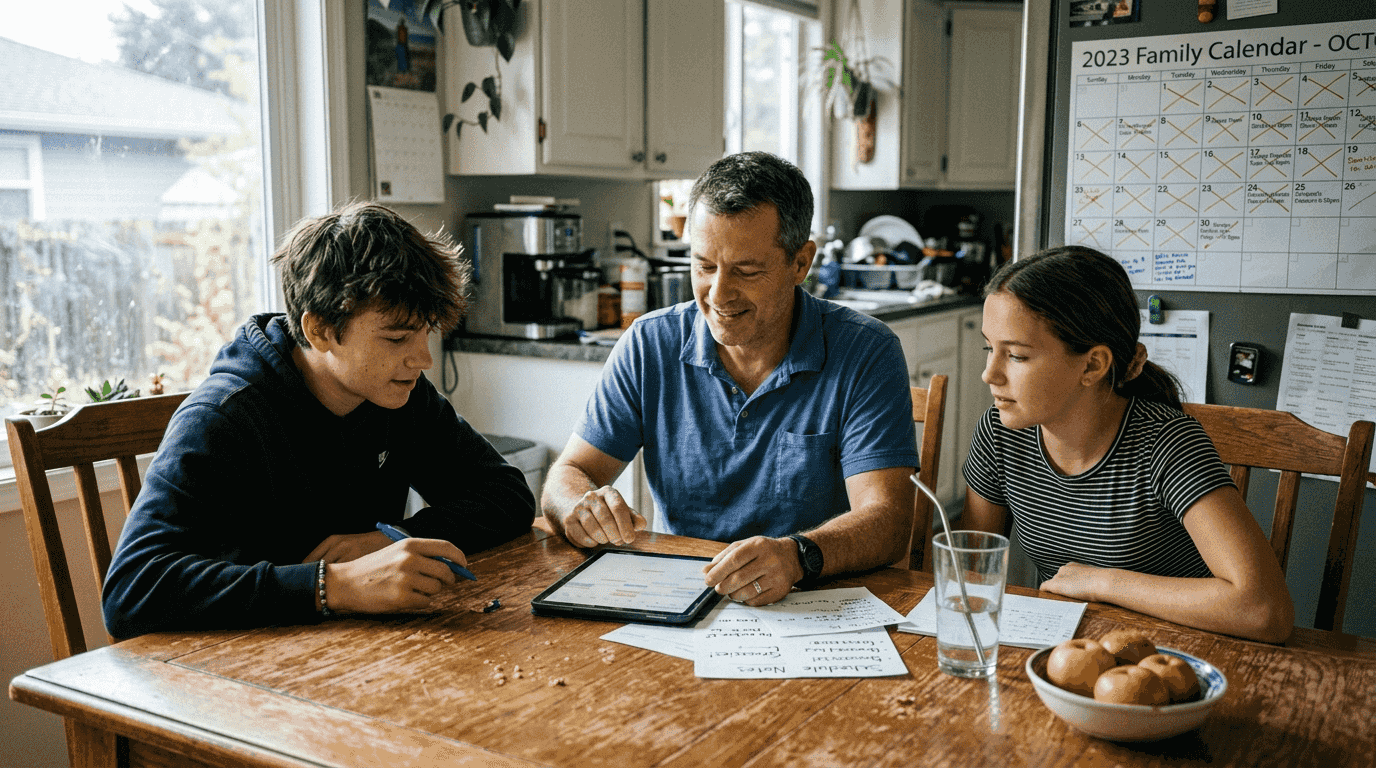
The benefits extend beyond simple visibility. Shared calendars enable proactive planning by showing potential conflicts before they become problems. When a family member adds a new commitment, everyone sees it immediately and can adjust their plans accordingly. Team leaders can identify scheduling bottlenecks and redistribute workload before deadlines become critical. This transparency builds trust and reduces the stress of last-minute surprises.
Different platforms offer varying collaboration features suited to specific needs:
- Google Calendar provides free sharing with granular permission controls and easy integration with Gmail.
- Microsoft 365 offers enterprise-grade security and advanced delegation for executive assistants managing multiple calendars.
- Apple Calendar excels at family sharing within the Apple ecosystem with intuitive mobile interfaces.
- Teamup specializes in color-coded sub-calendars for complex organizational structures.
- Cozi targets families with meal planning integration and shopping list coordination.
Managing permissions properly prevents chaos in shared calendars. Grant editing rights only to people who need to add or modify events directly. Use viewing permissions for stakeholders who need awareness without making changes. Create separate calendars for different life domains, such as work, family, and personal, then selectively share each with appropriate groups. This segmentation maintains privacy while enabling necessary coordination.
Conflict resolution features have become increasingly sophisticated. When two people try to schedule competing events in the same time slot, the system flags the overlap and suggests alternatives. Some platforms use voting mechanisms to find mutually agreeable times for group events. Others integrate with project management tools to automatically block calendar time for task deadlines. These capabilities transform calendars from passive recording tools into active coordination engines.
Pro Tip: Establish clear naming conventions for shared calendar events, such as including the responsible person’s initials in brackets or using consistent emoji codes for event types. This visual system helps everyone quickly understand who needs to take action and what kind of activity each entry represents.
Personalization and eco-friendly trends shaping calendars in 2026
Customization options have exploded in 2026, allowing you to design calendars that reflect your aesthetic preferences and functional requirements. Digital platforms offer thousands of themes, from minimalist monochrome to vibrant seasonal designs. You can upload personal photos as backgrounds, choose custom fonts for better readability, and adjust color schemes to match your workspace or brand identity. This personalization transforms calendars from generic tools into expressions of individual style.
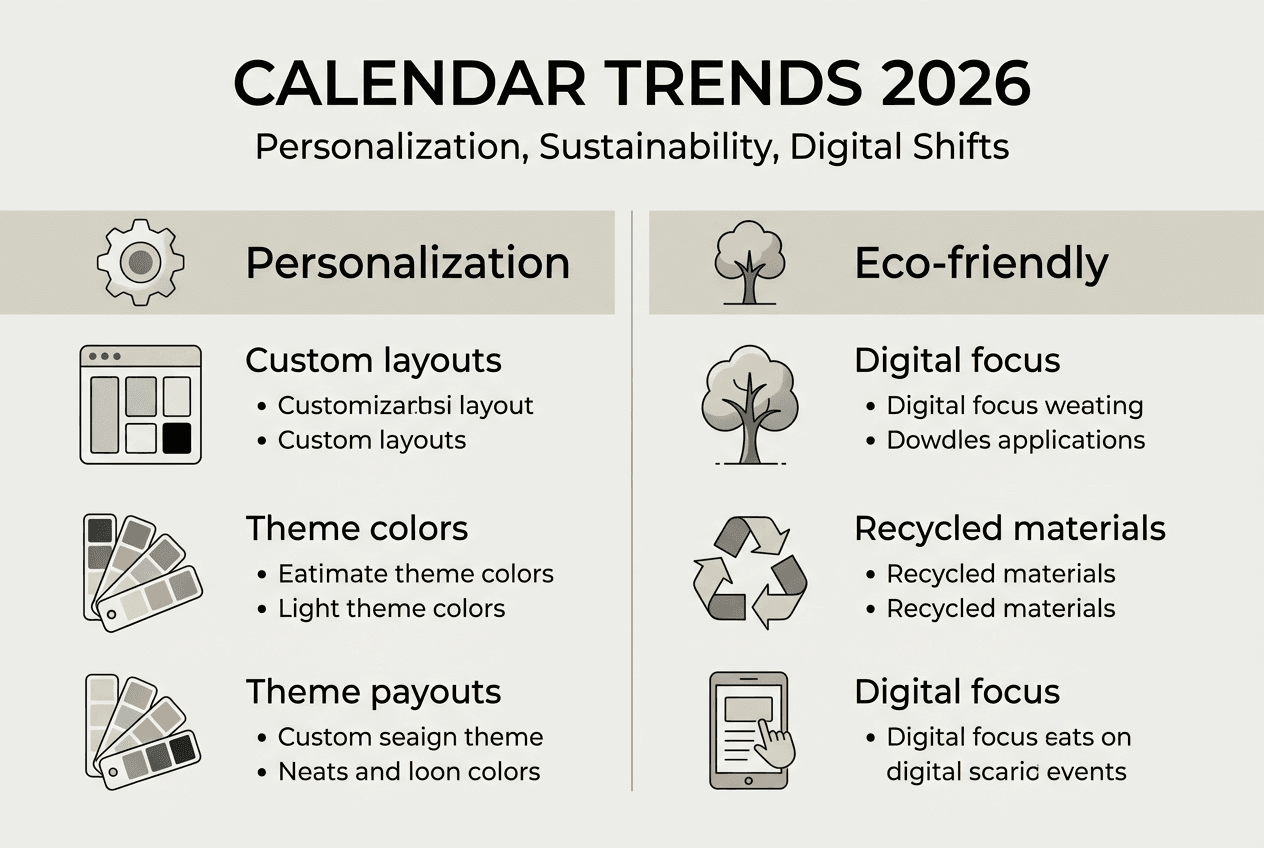
Physical calendars have also embraced customization through print-on-demand services. You can create personalized sustainable calendars featuring family photos, inspirational quotes, or specialized layouts for specific hobbies like gardening or fitness tracking. Educational institutions design calendars highlighting student achievements and upcoming academic milestones. Businesses produce branded calendars for client gifts that combine marketing with genuine utility.
Environmental consciousness has become a major factor in calendar production and consumption. Traditional paper calendars contribute to deforestation and waste when discarded after a year of use. In response, manufacturers have adopted sustainable practices including recycled paper stock, soy-based inks, and carbon-neutral shipping. Some companies offer perpetual calendar designs that work for multiple years, reducing annual replacement needs.
Digital calendars present a different environmental equation. While they eliminate paper waste, they require energy for data centers and device manufacturing. A comprehensive analysis reveals the trade-offs:
| Calendar Type | Annual CO2 Impact | Resource Use | Waste Generated |
|---|---|---|---|
| Traditional paper | 2.5 kg | Virgin paper, petroleum ink | 100% discarded annually |
| Recycled paper | 1.2 kg | Post-consumer fiber, eco-ink | 100% recyclable |
| Digital only | 0.8 kg | Server energy, device share | Minimal physical waste |
| Hybrid approach | 1.5 kg | Selective printing, cloud storage | Partial paper waste |
The data shows digital calendars generally offer the lowest environmental footprint, but hybrid approaches provide a reasonable compromise for those who value physical planning tools. Choosing recycled materials for printed calendars significantly reduces impact compared to conventional production.
Functionality need not suffer when prioritizing sustainability. Many eco-friendly calendars include practical features like tear-off shopping lists, meal planning grids, and habit trackers printed on the reverse of each month. Digital platforms increasingly offer offline modes that reduce constant data syncing, lowering energy consumption while maintaining accessibility.
Pro Tip: If you prefer physical calendars but want to minimize waste, select a reusable format with interchangeable date inserts or a dry-erase surface. These options provide the tactile planning experience while eliminating annual disposal, combining environmental responsibility with personalized organization.
Explore tailored calendar solutions for 2026 organization
The calendar planning landscape in 2026 offers unprecedented opportunities to align your organizational tools with your specific needs and values. Whether you prioritize AI-powered automation, collaborative features for team coordination, personalized design, or environmental sustainability, modern solutions deliver on all fronts. The key is finding the right combination for your unique situation.
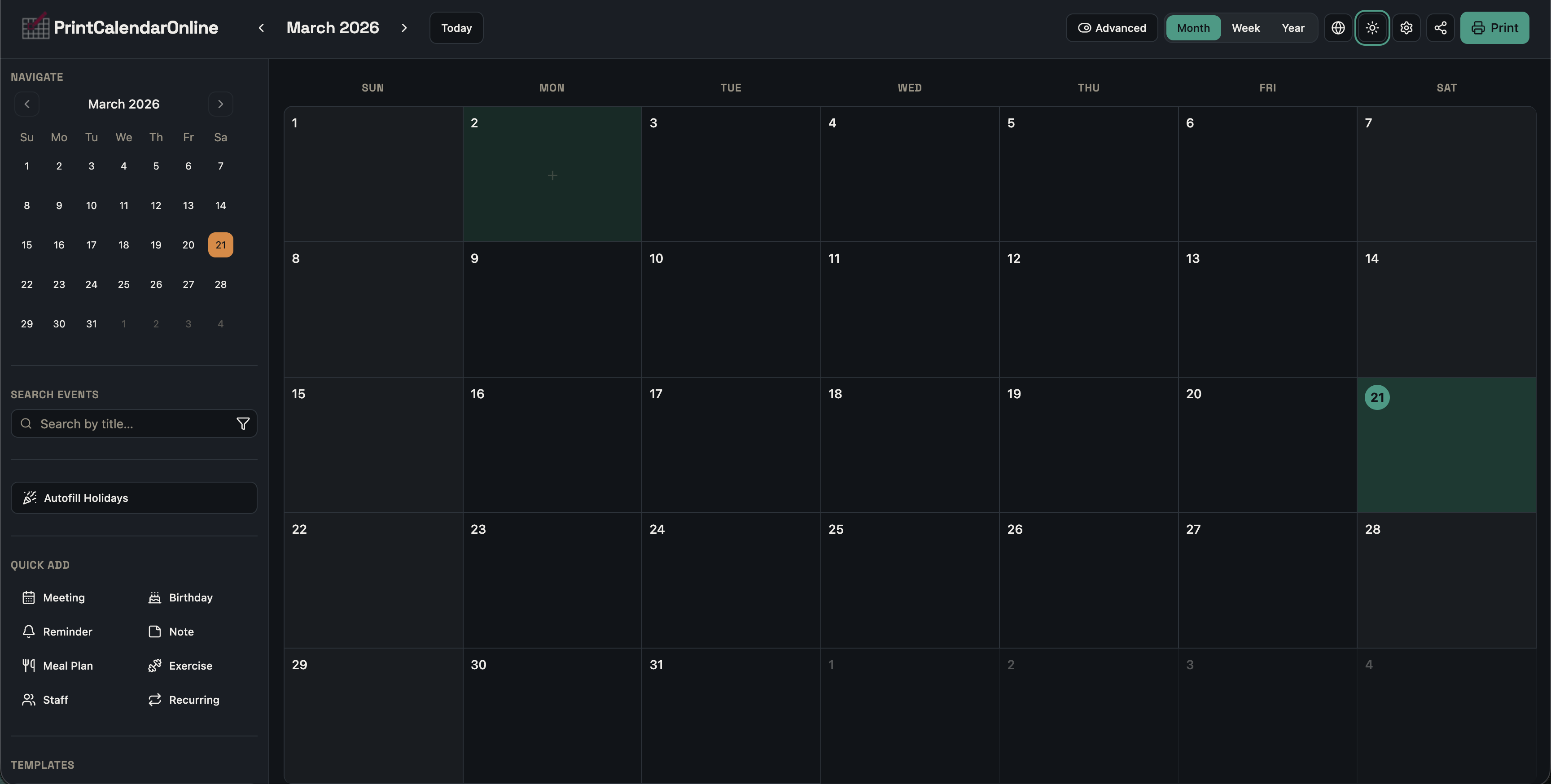
At print-calendar-online.com, you’ll discover a comprehensive calendar editor designed for the realities of 2026 planning. The platform combines customization flexibility with practical features that address real organizational challenges. You can create calendars for any year, add detailed events with categories and recurring schedules, and choose from multiple layout variants. The system automatically includes holidays for your country while allowing manual adjustments. Whether you need Simple Mode for quick notes or Advanced Mode for complex event management, the tools adapt to your workflow. Explore the possibilities and transform how you plan your year.
Frequently asked questions about calendar planning trends 2026
How to choose between digital and physical calendars in 2026?
Consider your primary use context and collaboration needs. Digital calendars excel when you need real-time syncing across devices, automatic reminders, or shared access with family and colleagues. Physical calendars work better for visual planning, reducing screen time, or environments where digital devices are impractical. Many people find a hybrid approach optimal, using digital for detailed scheduling and physical for monthly overviews.
What are the top AI features to look for in calendar apps?
Prioritize smart scheduling that suggests optimal meeting times based on your patterns and preferences. Predictive reminders that account for travel time and traffic conditions prevent late arrivals. Natural language processing lets you create events by typing or speaking conversational phrases rather than filling forms. Task integration that blocks calendar time for project deadlines ensures you allocate sufficient focus periods. Look for systems that learn from your behavior and improve suggestions over time.
Best practices for managing family and work calendars simultaneously?
Create separate calendars for different life domains rather than mixing everything in one view. Share your work calendar with colleagues and family calendar with household members, maintaining appropriate boundaries. Use color coding to instantly distinguish event types when viewing combined calendars. Schedule regular family planning sessions to review upcoming weeks and identify potential conflicts early. Set clear expectations about response times for calendar invitations in each context.
How does personalization improve calendar use?
Customized layouts match your specific planning style, whether you prefer daily, weekly, or monthly views. Personalized color schemes and themes reduce visual fatigue and make calendar checking more pleasant. Custom event categories help you track time allocation across different life areas, revealing patterns you might otherwise miss. Tailored reminder settings ensure you get notifications at times that actually help rather than annoy. When your calendar reflects your preferences, you’re more likely to use it consistently and effectively.
Are eco-friendly calendars widely available in 2026?
Yes, sustainable calendar options have become mainstream as consumer demand and environmental awareness have grown. Most major calendar manufacturers now offer recycled paper versions with comparable quality to traditional products. Digital calendar platforms continue expanding while some providers offset their server energy with renewable sources. Print-on-demand services let you create custom calendars only when needed, eliminating overproduction waste. Reusable calendar formats with replaceable date components provide another eco-conscious choice for those preferring physical planning tools.