
Calendar templates explained: customize planning for 2026

Most people think calendar templates are just simple date grids you print and forget. That assumption misses the powerful customization, automation, and strategic planning features modern templates offer. Whether you’re managing personal events, coordinating team schedules, or planning complex projects, understanding how calendar templates work can transform your productivity in 2026. This article reveals the different types available, the mechanics behind dynamic templates, critical edge cases to avoid errors, and empirical benefits that prove their value.
Table of Contents
- Understanding The Different Types Of Calendar Templates
- How Calendar Templates Work: Mechanics And Automation
- Handling Edge Cases And Ensuring Calendar Accuracy In 2026
- Practical Applications And Empirical Benefits Of Calendar Templates
- Explore Customizable Calendar Templates At Print-Calendar-Online.Com
- Calendar Templates Explained FAQ
Key takeaways
| Point | Details |
|---|---|
| Template variety | Calendar templates range from simple weekly blocks to complex Gantt charts and spreadsheet-based systems with automation. |
| Formula automation | Functions like SEQUENCE, DATE, and ARRAYFORMULA enable dynamic date generation and automatic updates across entire grids. |
| Edge case handling | Leap years, month-end variations, overlapping events, and timezone shifts require special logic to maintain accuracy. |
| Productivity gains | Proper calendar use reduces task rework by 26.7% and improves scheduling success rates significantly. |
Understanding the different types of calendar templates
Calendar templates come in multiple formats, each designed for specific planning needs and workflows. Choosing the right type depends on whether you’re tracking daily tasks, managing long-term projects, or coordinating team activities.
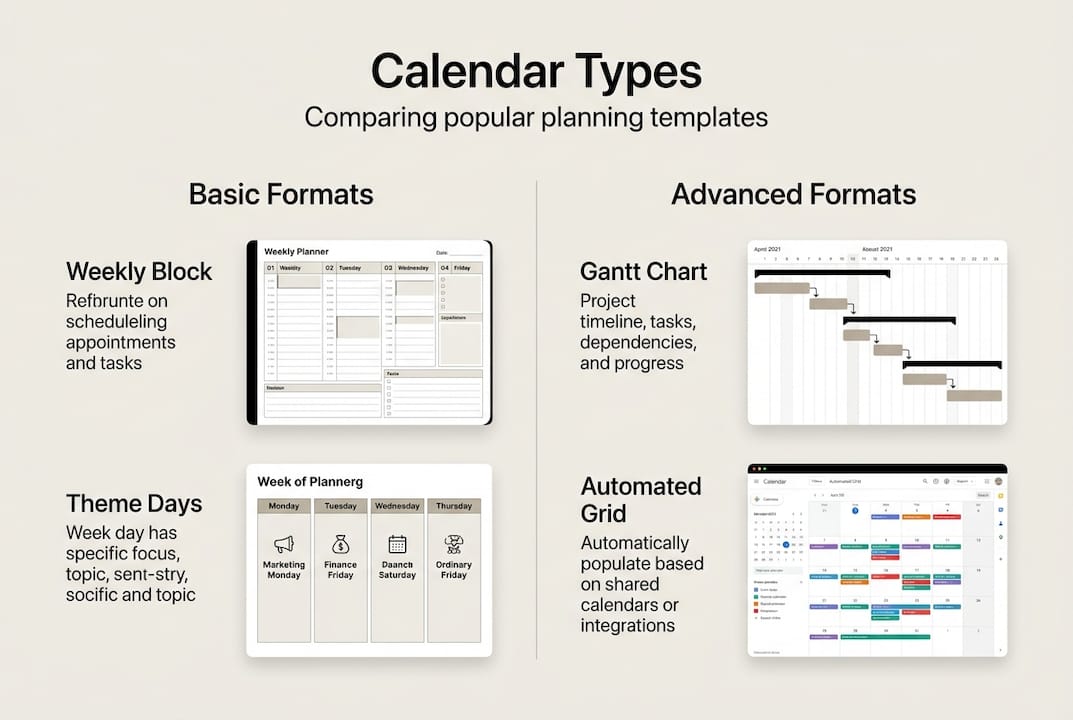
Calendar templates include weekly blocks, theme days, Kanban boards, Gantt charts, and spreadsheets for various planning needs. Each format offers distinct advantages for different scenarios.
- Weekly block templates divide your week into focused time segments, helping you allocate specific hours to priority tasks. These work well for individuals who need to balance multiple responsibilities without losing sight of daily goals.
- Theme day templates assign specific focuses to each day of the week, such as Monday for meetings, Tuesday for deep work, and Wednesday for client calls. This approach reduces context switching and builds consistent routines.
- Kanban board calendars visualize workflows by showing tasks moving through stages like “To Do,” “In Progress,” and “Done” within a calendar framework. Teams use these to track project status at a glance.
- Gantt chart templates display project timelines with dependencies, showing how tasks connect and which activities must finish before others begin. Project managers rely on these for complex initiatives with multiple moving parts.
- Spreadsheet-based templates in Excel or Google Sheets offer the highest customization potential, using formulas to generate dates automatically and adapt to user inputs. You can modify layouts, add conditional formatting, and integrate with other data sources.
The beauty of modern templates lies in their flexibility. You can start with a basic structure and layer in features as your planning needs grow. A simple monthly grid might suffice for tracking birthdays and appointments, while a formula-driven spreadsheet becomes essential when managing recurring events, calculating workdays, or synchronizing multiple team calendars.
Pro Tip: Match your template type to your planning horizon. Use weekly blocks for short-term focus, theme days for routine building, and Gantt charts for projects spanning months.
How calendar templates work: mechanics and automation
Behind every dynamic calendar template sits a collection of formulas that automate date generation, handle month transitions, and adjust for weekends or holidays. Understanding these mechanics helps you customize templates to fit your exact needs.
Formulas like SEQUENCE, DATE, ARRAYFORMULA, EDATE, WORKDAY enable auto-population and holiday handling in calendars. These functions work together to create intelligent templates that update automatically.
- SEQUENCE function generates consecutive numbers or dates based on starting values and increments. In a calendar, it creates the day numbers from 1 to 31 without manual entry.
- DATE function combines year, month, and day values into a proper date format that other formulas can reference. This becomes the foundation for calculating weekdays, comparing dates, and determining month lengths.
- ARRAYFORMULA applies a formula to an entire range at once, populating hundreds of cells with a single expression. Instead of copying a formula down 365 rows for a yearly calendar, one ARRAYFORMULA handles everything.
- EDATE function adds or subtracts months from a date, making it simple to shift between January, February, and March views without recalculating day positions manually.
- WORKDAY function calculates business days by skipping weekends and specified holidays, crucial for project scheduling and deadline planning.
Dynamic inputs transform static templates into interactive tools. You enter a starting month and year in designated cells, and formulas throughout the template recalculate to display the correct dates, weekday names, and week numbers. This eliminates the need to download a new template for each month or year.

Conditional formatting adds visual intelligence by highlighting today’s date, coloring weekends differently, or flagging overdue tasks automatically. Combined with data validation rules that prevent invalid date entries, these features create templates that guide users toward accurate planning.
Pro Tip: Build your template with a “control panel” section where users input key variables like start date, working hours, and holiday lists. All other formulas reference these cells for easy updates.
Handling edge cases and ensuring calendar accuracy in 2026
Even well-designed calendar templates can produce errors when edge cases slip through unnoticed. Anticipating these scenarios and building safeguards prevents scheduling mistakes that cascade into missed deadlines and coordination failures.
Edge cases include leap years, month-ends, overlapping events, and timezone shifts requiring special logic in templates. Each presents unique challenges that demand specific solutions.
- Leap year validation ensures February displays 29 days in 2026 (not a leap year) versus 28 days, preventing date misalignment in subsequent months. Use the MOD function to check if a year divides evenly by 4, then apply exceptions for century years.
- Month-end calculations must account for varying lengths, from 28-day February to 31-day months. Formulas that assume 30 days universally will misplace events scheduled for the 31st.
- Overlapping event detection becomes critical when multiple activities share the same time slot. Visual cues like color coding or stacked entries help users spot conflicts before they cause problems.
- Timezone shift handling matters for distributed teams or travel schedules. A meeting at 3 PM Eastern becomes 12 PM Pacific, and templates should either display both or allow users to set their reference timezone.
- Input boundary validation prevents users from entering invalid dates like February 30 or month numbers above 12. Data validation rules reject impossible values before they corrupt calculations.
“The difference between a good calendar template and a great one lies in how gracefully it handles the unexpected. Build for the edge cases, and the common cases take care of themselves.”
Testing your template against these scenarios before deployment saves hours of troubleshooting later. Create a checklist of edge cases and verify each one produces the expected result. Pay special attention to year transitions, where formulas referencing the previous or next year must adjust correctly.
Pro Tip: Include a “Last Updated” timestamp in your template that auto-refreshes when changes occur. This helps teams know they’re working with current information.
Practical applications and empirical benefits of calendar templates
The value of calendar templates extends beyond theoretical convenience into measurable productivity improvements. Research on scheduling behaviors reveals specific benchmarks that demonstrate how effective calendar use translates to better outcomes.
Studies show using Friday planning reduces rework by 26.7% and scheduling success rates improve markedly with good calendar use. These numbers reflect real-world data from thousands of users across various industries.
| Metric | Benchmark | Top 10% Performance |
|---|---|---|
| Booking conversion rate | 15.1% | 30%+ |
| Show rate average | 77% | 95%+ |
| Task rework reduction | 26.7% | 40%+ |
| Context switching decrease | 37% | 55%+ |
These benchmarks highlight several practical applications:
- Meeting scheduling improves when calendar templates display availability clearly, reducing the back-and-forth emails that waste time. Automated booking links integrated with templates achieve higher conversion rates.
- Project planning becomes more reliable when Gantt-style templates show dependencies and critical paths. Teams identify bottlenecks early and adjust resources before delays compound.
- Personal productivity increases when weekly review sessions on Fridays use templates to plan the following week. This practice reduces task context switching by over 37%, allowing deeper focus on priority work.
- Team coordination strengthens as shared calendar templates provide a single source of truth for deadlines, milestones, and resource allocation. Miscommunication drops when everyone references the same schedule.
The gap between median and top-performing users reveals that template quality and usage habits both matter. Simply having a calendar template doesn’t guarantee results. You must update it consistently, review it regularly, and adjust plans based on actual progress versus scheduled activities.
Organizations that invest in training employees on effective calendar use see returns through reduced rework, fewer missed deadlines, and improved cross-team collaboration. The 26.7% reduction in task rework alone justifies the time spent setting up and maintaining quality templates.
Explore customizable calendar templates at print-calendar-online.com
Now that you understand how calendar templates work and the benefits they deliver, you might be ready to implement one for your own planning needs. Finding the right template saves time compared to building from scratch.
Customizable calendar templates at print-calendar-online.com offer both printable and digital options suitable for personal events, work schedules, and organizational planning. The platform provides templates you can adapt to various planning styles without starting from zero.
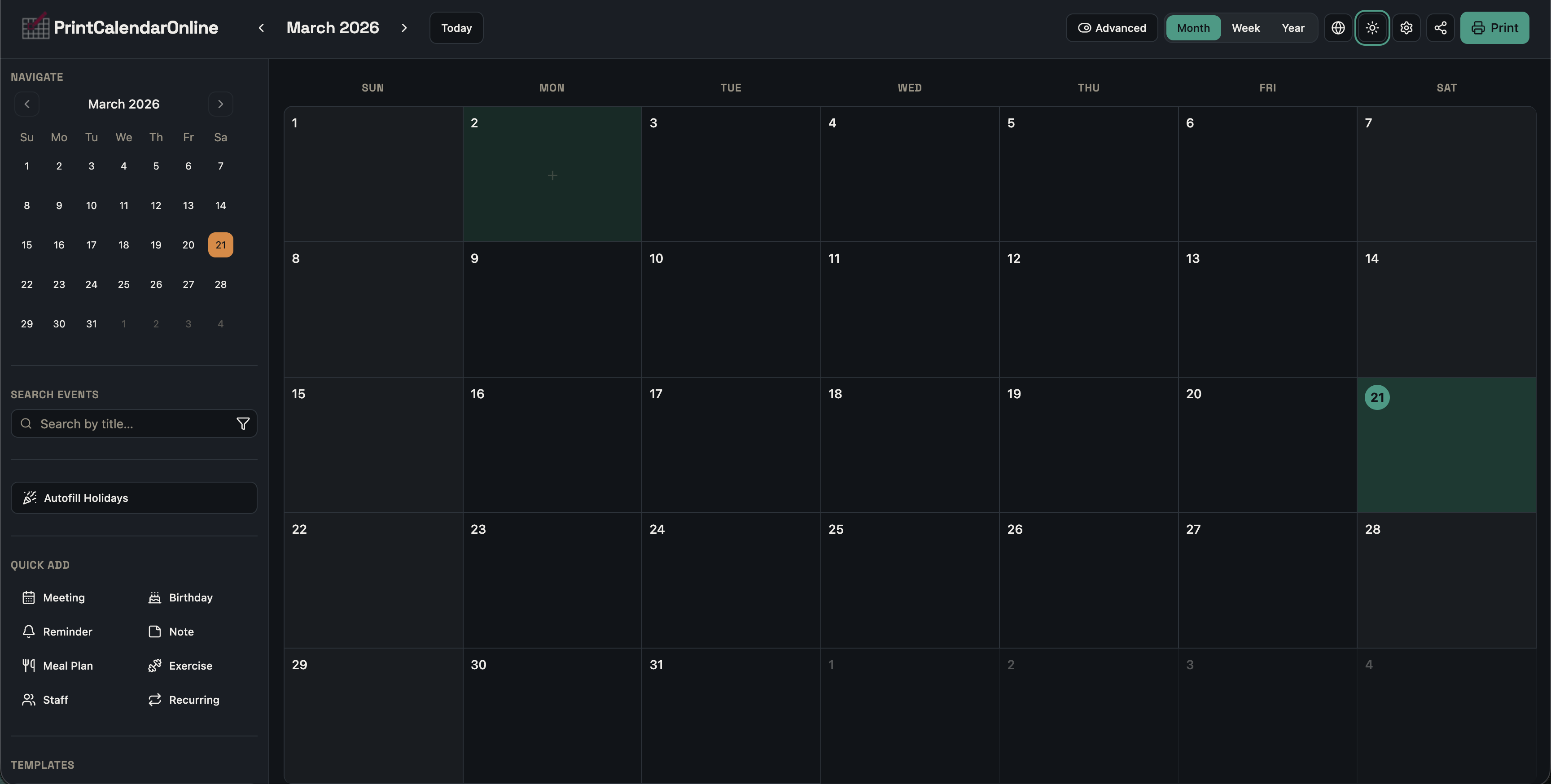
You can choose from multiple layouts, customize themes and colors, add recurring events with detailed time settings, and automatically include holidays based on your country. Whether you need a simple monthly view for tracking family activities or an advanced template for staff scheduling and project timelines, the flexible editor lets you create exactly what you need. Print your finished calendar or use it digitally, with full control over every element.
Calendar templates explained FAQ
What formulas are essential for dynamic calendar templates?
The SEQUENCE function generates consecutive date numbers automatically, while DATE combines year, month, and day values into proper date formats. ARRAYFORMULA applies calculations across entire ranges at once, and EDATE handles month-to-month transitions. WORKDAY accounts for weekends and holidays when calculating business days.
How do I handle leap years in calendar templates?
Use the MOD function to check if a year divides evenly by 4, which identifies most leap years. Apply exceptions for century years that must also divide by 400. Build this logic into your date generation formulas so February automatically displays 29 days in leap years and 28 days otherwise.
What are the benefits of using calendar templates?
Calendar templates reduce task rework by 26.7% through better planning and scheduling. They improve meeting show rates to an average of 77% and help top performers achieve booking conversion rates above 30%. Templates also decrease context switching by over 37% when used for weekly planning sessions.
Can I customize calendar templates for specific workflows?
Yes, modern templates support extensive customization including conditional formatting, data validation rules, and dynamic input controls. You can adapt layouts for Kanban boards, Gantt charts, or theme-based planning. Spreadsheet templates offer the highest flexibility through formula modifications and integration with other data sources.
How do I manage overlapping events in a template?
Implement visual detection systems using conditional formatting that highlights time conflicts with distinct colors or borders. Stack overlapping entries vertically or use transparency to show multiple events in the same slot. Include validation rules that warn users when they schedule events with time conflicts, allowing them to resolve issues before finalizing plans.